
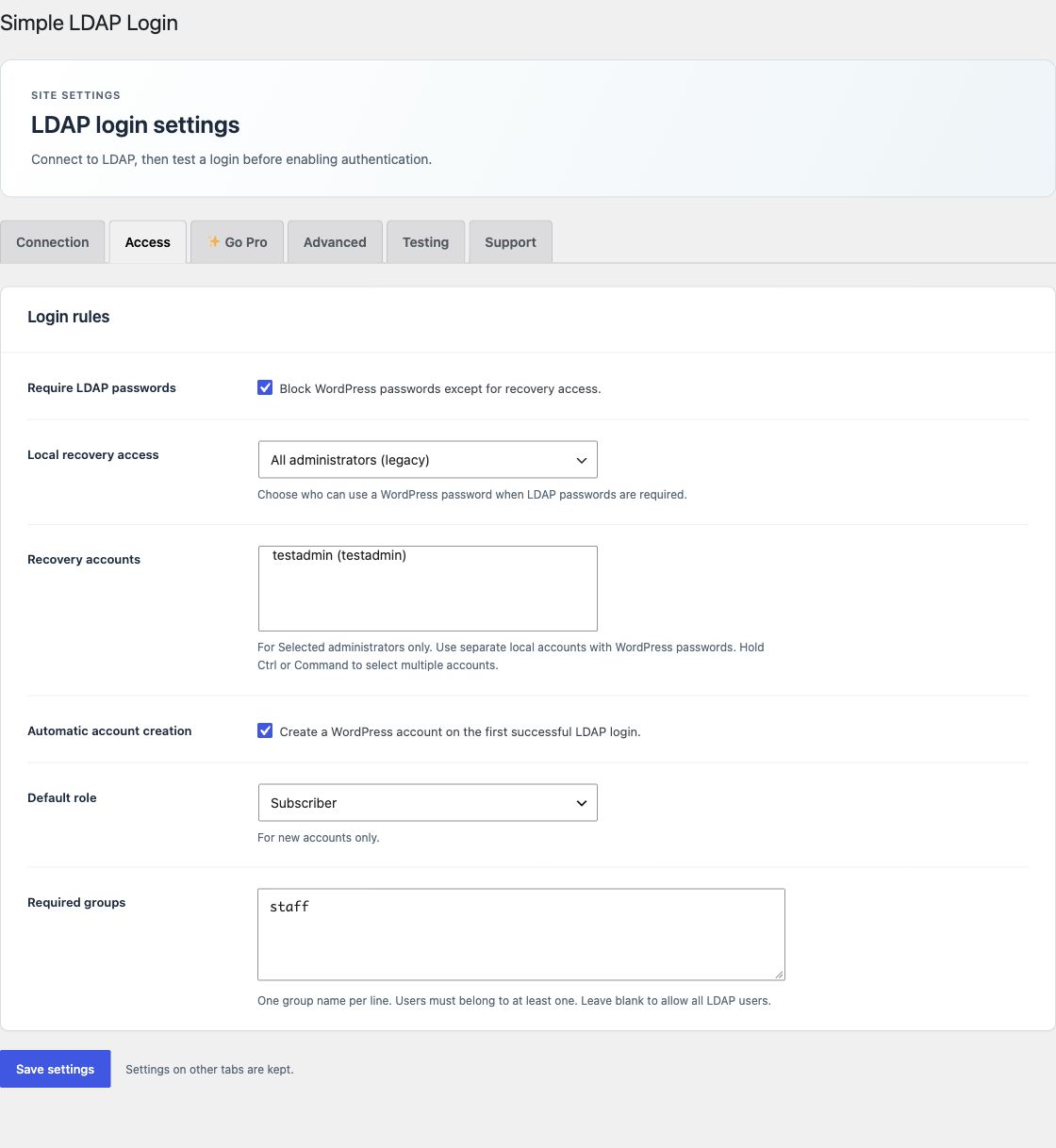
Open Access to set password policy, account creation, and required groups. These controls are included in Free.
Require LDAP passwords
When this setting is on, other users cannot fall back to WordPress username, email, or application password authentication. The selected local recovery accounts keep local WordPress access. Group denial also prevents local fallback for other users.
When it is off, WordPress password fallback can remain available after LDAP fails. Keep the setting on when your directory must control password login. Other WordPress authentication filters and user checks remain installed.
Local recovery access
- Selected administrators: only the selected, eligible local administrators use the recovery path. Use separate accounts with WordPress passwords.
- All administrators (legacy): retains the older administrator recovery policy. On WordPress Multisite, the label is All super administrators (legacy).
- Off: grants no recovery exception.
For a new installation, select at least one recovery account, or explicitly select Off, before you enable LDAP login or SSO. Hold Control or Command to select more than one account. See recovery instructions before you change this policy.
Create accounts on the first login
Enable Automatic account creation to create a WordPress account after the first successful LDAP password or SSO check. The account must also pass required group checks. New accounts receive the selected Default role and a random local password. The LDAP password is not copied to WordPress.
With account creation off, the user needs an existing WordPress account. Free copies standard profile fields only when it creates an account. Pro can update existing profiles.
Require a directory group
Enter one group name per line in Required groups. A user must belong to at least one listed group. Leave the list blank to allow all users who pass the directory check.
WordPress Editors
Intranet Staff
For AD, checks include nested and primary groups. AD group names can match the common name, account name, or full DN. The group must be inside the configured group search base. AD names are matched without letter case.
For OpenLDAP, configure Group base DN, Group name attribute, and Group member attribute on Advanced. The plugin supports groups that store account names or user DNs. See the group attribute settings.
Group access and roles are separate
Required groups decide who may log in. They do not set a WordPress role. Free uses the default role for new accounts. Pro group role rules can update a role at each verified login.
See the illustrated login flow and security boundaries for the complete request path.