Simple LDAP Login lets staff use an Active Directory or OpenLDAP account to log in to WordPress. Free includes LDAP password login. The paid Pro and Enterprise plans add server single sign-on and account management.
Requirements
- Use WordPress 6.5 or later and PHP 8.1 or later.
- Ask your host to enable the PHP LDAP, OpenSSL, and iconv extensions.
- Make sure the WordPress server can reach your directory server.
- Get the LDAP server name, Base DN, transport, and port from your directory administrator.
- Use a trusted directory server certificate for StartTLS or LDAPS.
- Keep a separate local WordPress administrator account and its password.
Install one edition
- In WordPress, open Plugins → Add New Plugin → Upload Plugin.
- Select the Free or Pro ZIP. Install and activate it.
- Open Settings → Simple LDAP Login. For network activation, use Network Admin settings.
- Keep LDAP login off while you set up the connection.
Free and Pro use the same plugin folder. Install one edition. Pro replaces Free; it is not an add-on. You do not need Composer or Node to install a release ZIP.
Test, then enable
- Set the directory connection and save it.
- On Access, select a local recovery account. Set your group rules and account creation policy.
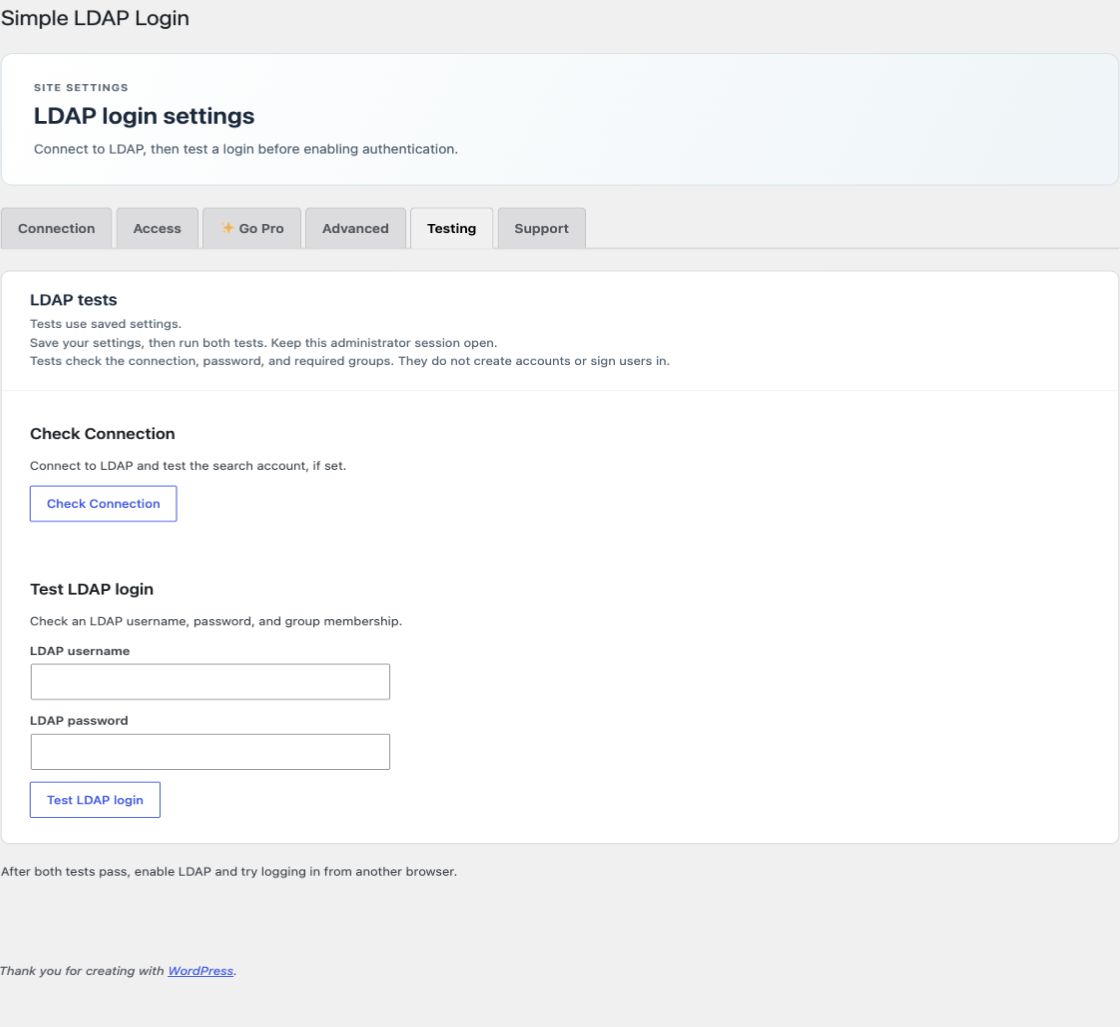
- On Testing, run Check Connection and Test LDAP login.
- When both tests pass, enable LDAP login on Connection and save.
- Keep this administrator session open. Use another browser to test a permitted user, a denied user, and your recovery account.
The built-in tests do not create WordPress accounts or start user sessions. A real first login creates an account only if automatic account creation is enabled.
Choose a plan
Use Free for LDAP password login, group restrictions, account creation, profile fields on new accounts, and shared network settings. Pro adds backup LDAP servers, server SSO, custom user fields, group role rules, and profile updates. Enterprise adds scheduled import and access removal, multisite membership rules, and audit history. Both paid plans use the Pro ZIP; the license decides which features run. See Pro and Enterprise licensing.