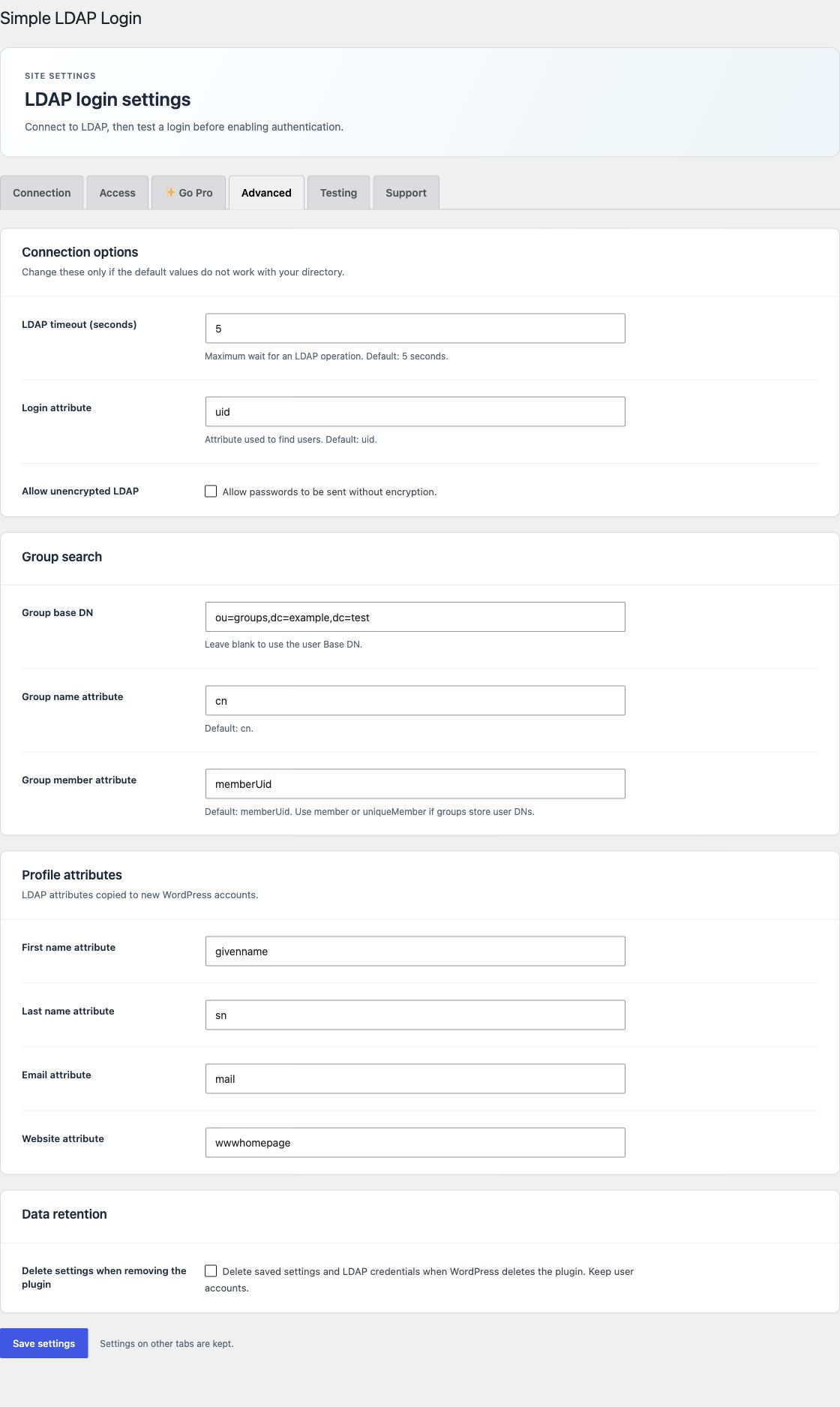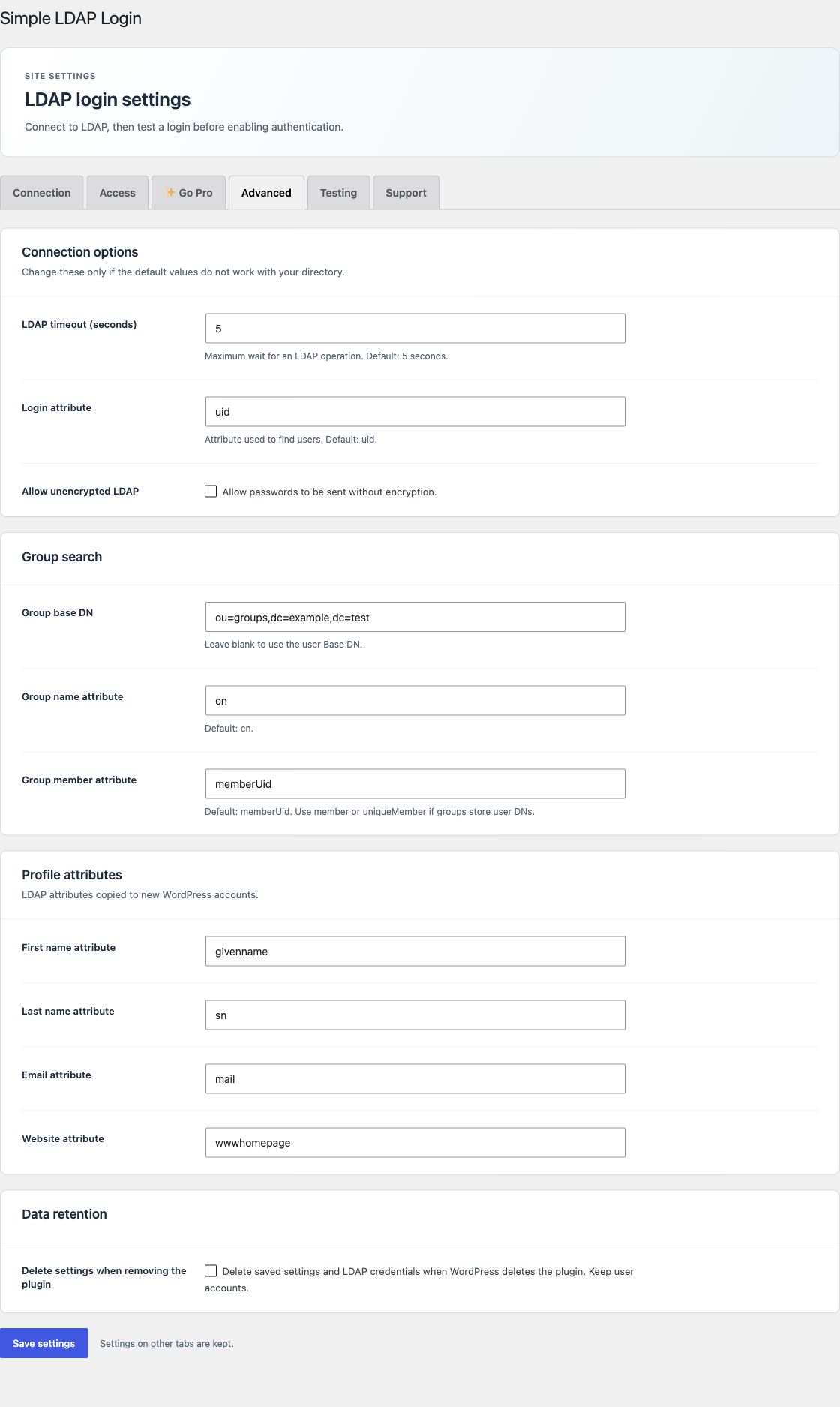
Open Advanced. Keep the defaults unless your directory needs a change.
Connection options
| Setting | Use |
|---|---|
| LDAP timeout | Maximum wait for an LDAP operation. Default: 5 seconds. Valid range: 1 to 30 seconds. |
| Login attribute | OpenLDAP user lookup attribute. Default: uid. |
| Allow unencrypted LDAP | Permits the unencrypted transport choice on Connection. It can expose directory passwords on the network. |
Use StartTLS or LDAPS with a trusted certificate. An LDAP server entry can specify its own port. The plugin uses LDAP protocol version 3.
Group search
| Setting | Use |
|---|---|
| Group base DN | Search location for groups. Leave blank to use the user Base DN. |
| Group name attribute | OpenLDAP group name field. Default: cn. |
| Group member attribute | Default: memberUid. Use member or uniqueMember when groups store user DNs. |
The plugin also checks standard groupOfNames and groupOfUniqueNames memberships. AD uses its own nested and primary group checks; the group search base still limits the groups that can match.
Profile attributes
Set first name, last name, email, and website source attributes. Defaults are givenname, sn, mail, and wwwhomepage. Free uses these when creating accounts. Pro can also update existing profiles.
Custom field storage in Pro
LDAP value suffix defaults to ldap. WordPress value suffix defaults to wp. A phone mapping therefore uses phone_ldap and phone_wp. Keep these defaults unless an integration needs other keys. See custom field mappings.
Protect the search password
The plugin encrypts the saved password with AES-256-GCM. By default, the key comes from WordPress authentication salts. You can instead define a long, random SLL_ENCRYPTION_KEY in wp-config.php. Keep it outside the database and set it before you save the password.
Do not change the key without a password re-entry plan. A key change also affects the encrypted Pro activation secret.
Data retention and languages
Select Delete settings when removing the plugin only when uninstall must remove saved plugin settings and LDAP credentials. WordPress users and content stay in place. Audit records are kept.
Both editions include 24 locales. WordPress uses the plugin's bundled translations for the selected site or user language. No separate language pack setup is required.