
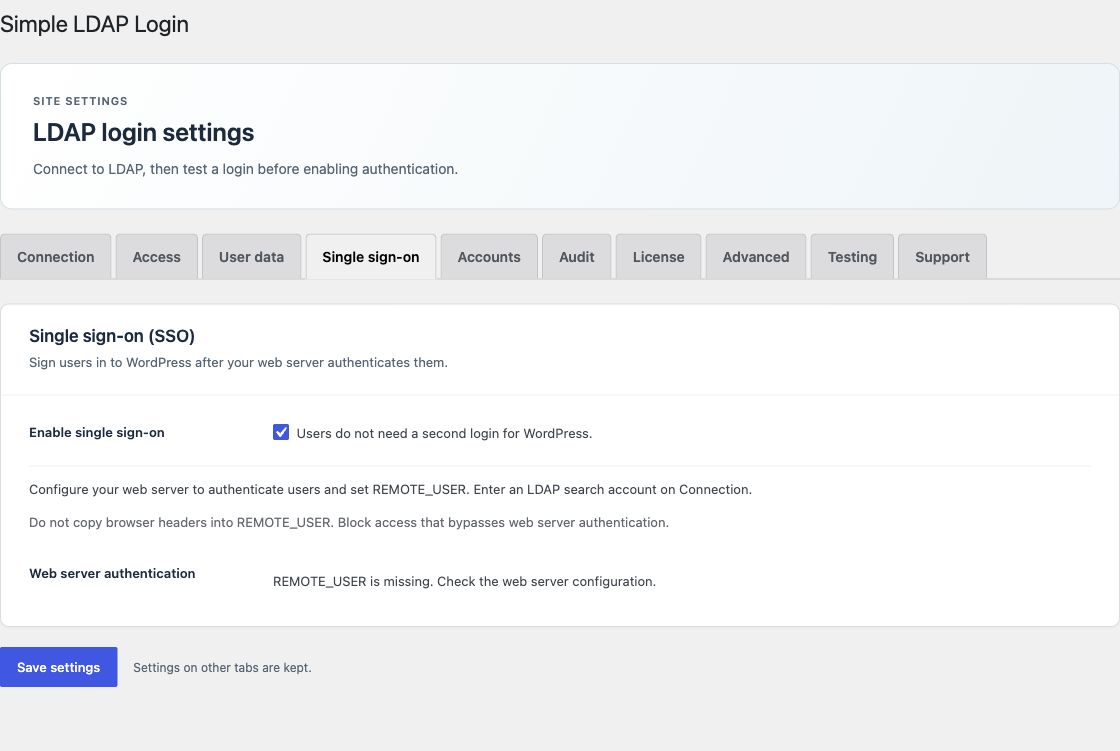
Server single sign-on requires an active Pro or Enterprise license. Your server must authenticate the user and set REMOTE_USER. The plugin then finds the directory account, checks groups, and starts a WordPress session.
The plugin does not configure Kerberos, NTLM, Apache, Nginx, or a reverse proxy. A server administrator must set up and test that part.
Set up the server first
- Configure your server authentication module to check users.
- Let that module set
REMOTE_USER. Do not copy a browser request header into it. - Block access to the WordPress origin through paths that bypass server authentication. Check proxy and FastCGI settings.
- Keep the WordPress login page and a local recovery path available.
Enable SSO in WordPress
- Save a trusted LDAP connection.
- On Connection, enter a read-only search account and a nonempty search password.
- For
DOMAIN\nameidentities, set Windows domain to the exact trusted short domain. Other domain prefixes are rejected. - Set Local recovery access on Access. Select an eligible administrator, or explicitly select Off.
- Open Single sign-on. Check that the page reports that
REMOTE_USERis present. - Enable single sign-on and save.
UPN identities such as [email protected] are looked up within the configured Base DN. The search must return one unique account. An empty search password cannot verify a user.
Test the full login path
Test a permitted user, an unknown user, a denied group, missing REMOTE_USER, and a failed search account. Only the permitted user must get a session. Test logout, password recovery, and any second-factor checks with your actual setup.
The plugin runs normal WordPress authentication filters before it starts the session. It skips automatic SSO on wp-login.php. Selected recovery accounts must use their WordPress passwords; a server identity cannot sign in as one of those accounts.
SSO and password login are separate
Both switches are off on a new installation. You can enable them separately. License expiry stops SSO but leaves base LDAP password login and recovery available. SLL_DISABLE_LDAP stops both paths. See emergency recovery.
See the illustrated login flow and security boundaries for the complete request path.