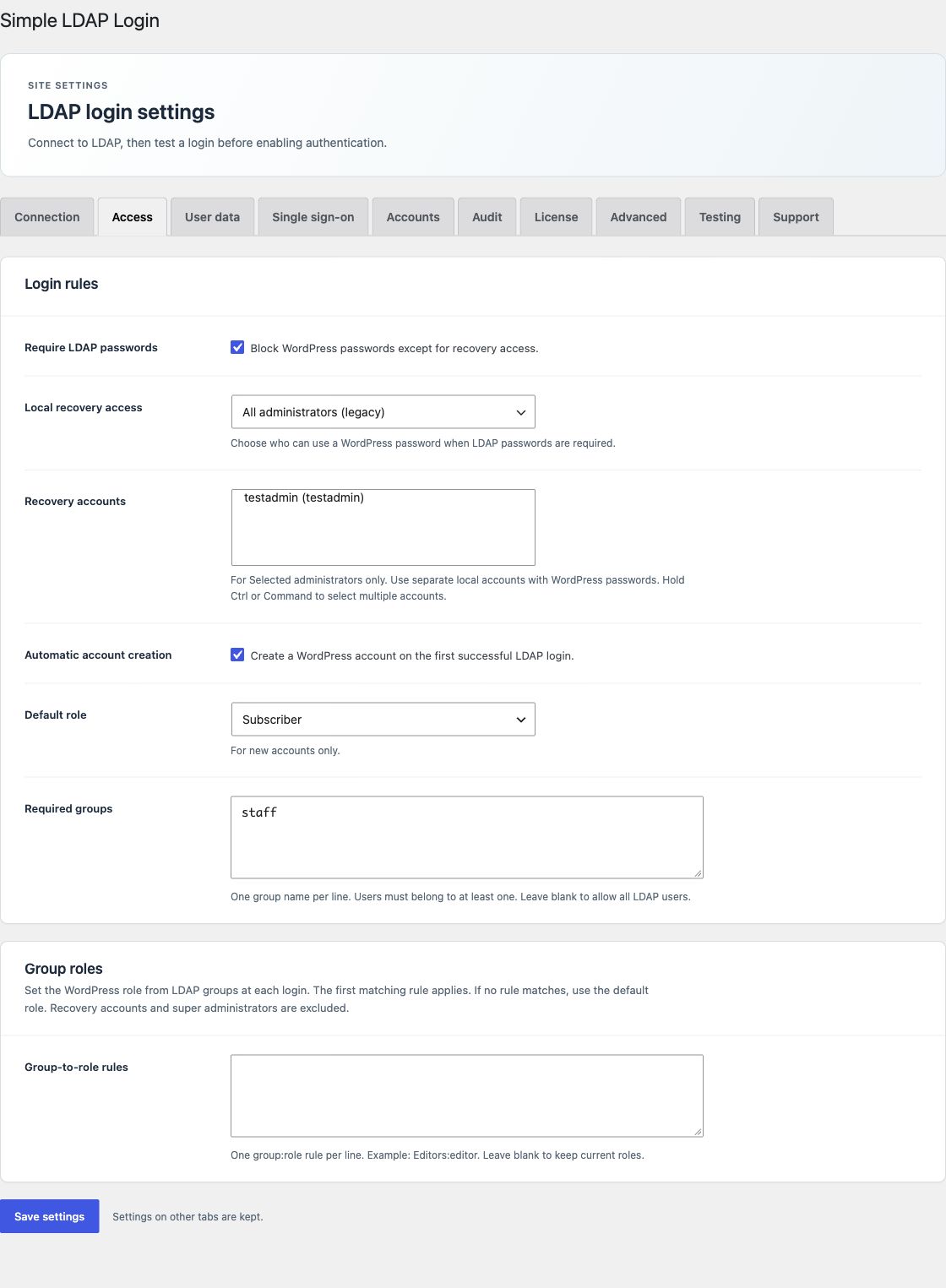
Group role rules require an active Pro or Enterprise license. Open Access → Group roles.
Rule format
Enter one group:role rule per line. Use an existing WordPress role name.
WordPress Administrators:administrator
WordPress Editors:editor
Intranet Staff:subscriber- Put the most specific or highest priority group first.
- Set the Default role on Access for users who match no rule.
- Save your changes.
- Use real logins to test a user in one group, a user in several groups, and a user in no rule group.
The first match applies
The plugin checks rules in order. The first matching group sets the user's role at each LDAP password login or server SSO. The role replaces the current roles. Scheduled imports also apply the rules.
If rules are present but none match, the default role applies. Leave the rule list blank to keep current roles.
Keep login restrictions in place
Role rules do not grant permission to bypass Required groups. A user must first pass the directory password or SSO check and all login access rules.
AD group checks include nested and primary groups. OpenLDAP uses the group attributes from Advanced. Group names follow the same matching rules as required login groups.
Excluded accounts and network rules
Selected recovery accounts and multisite super administrators are excluded. If a network activation has group-to-site rules, those rules replace ordinary group role rules.
Test administrator assignments with care. Keep a separate local recovery account available while you test.